Plugin Commands
MZ Only
TABLE OF CONTENTS
- Spawn Event
- Spawn Event Region
- Spawn Event Terrain Tags
- Spawn Child
- Transform Event
- Unspawn Event
- Unspawn Event Xy
- Unspawn All
Spawn Event
Show/Hide Section
Spawns or recycles an event on the game map on to x,y coordinates by creating a copy of a template event located on a spawn map.
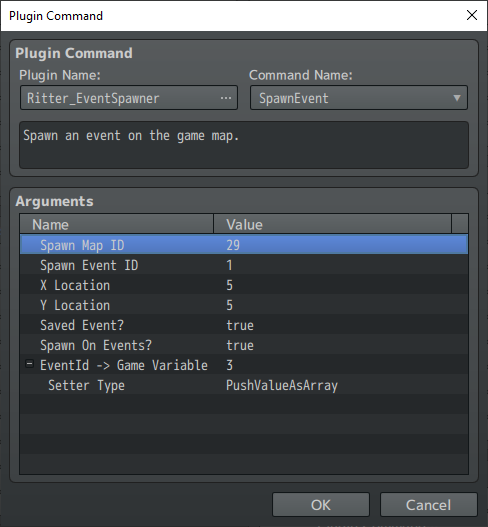
- mapId: The ID or name of the map containing the event.
- eventId: The ID or name of the event to spawn.
- x, y: Coordinates to place the event on the map.
- save:
trueto save for restoration on map re-entry,falsefor temporary. - spawnOnEvents:
trueto allow spawning on top of other events. - EventId -> Game Variable: Game Variable ID to store the EventId.
-
Setter Type: How to store EventId in the Game Variable.
- Set Value As Integer: Stores EventId as an integer.
- Push Value As Array: Pushes EventId into the variable as an array.
Spawn Event Region
Show/Hide Section
Spawns or recycles an event on the game map on to a random tile marked with the provided regionId(s) by creating a copy of a template event located on a spawn map.
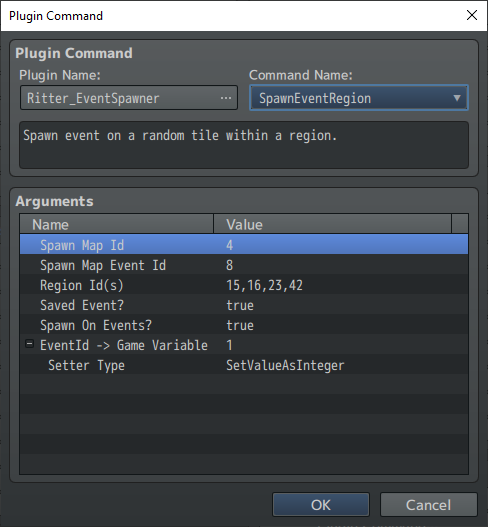
- mapId: The ID of the map containing the event.
- eventId: The ID of the event to spawn.
- regions: Region ID(s) to randomly place the event. Use an array for multiple IDs, e.g.,
[4,8,15,16,23,42]. - save:
trueto save for restoration,falsefor temporary. - spawnOnEvents:
trueto allow spawning on top of other events. - EventId -> Game Variable: Game Variable ID to store the EventId.
-
Setter Type: How to store EventId in the Game Variable.
- Set Value As Integer
- Push Value As Array
Spawn Event Terrain Tag
Show/Hide Section
Spawns or recycles an event on the game map on to a random tile marked with the provided terrain tag(s) by creating a copy of a template event located on a spawn map.
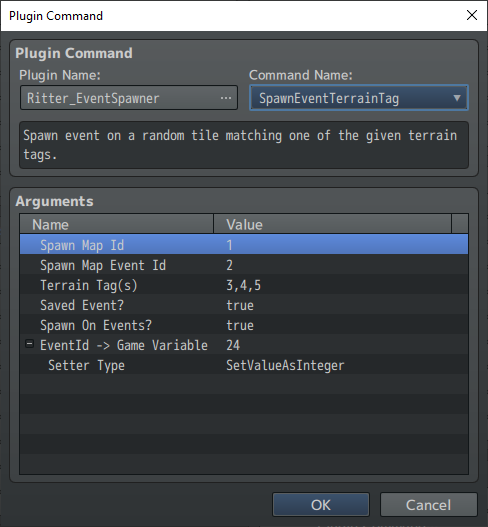
- mapId: The ID of the map containing the event.
- eventId: The ID of the event to spawn.
- tags: Terrain Tag ID(s) to randomly place the event. Use an array for multiple tags, e.g.,
[4,8,15,16,23,42]. - save:
trueto save for restoration,falsefor temporary. - spawnOnEvents:
trueto allow spawning on top of other events. - EventId -> Game Variable: Game Variable ID to store the EventId.
-
Setter Type: How to store EventId in the Game Variable.
- Set Value As Integer
- Push Value As Array
Spawn Child
Show/Hide Section
Use Spawn Child to spawn an event that belongs to another spawned event.
When the parent is unspawned through the Event Spawner, its owned children are also cleaned up automatically.
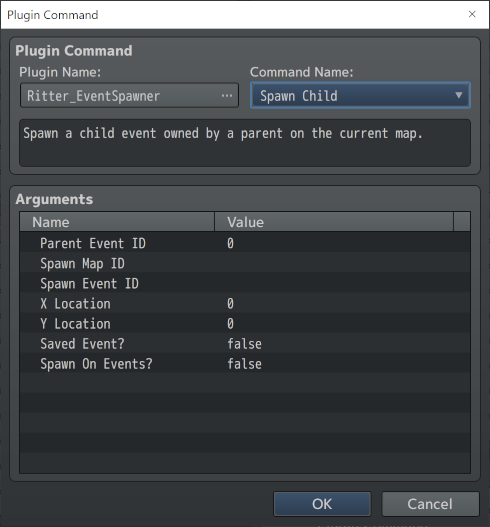
Command Arguments
| Argument | Description |
|---|---|
ParentEventId | Runtime event ID of the parent on the current map. Use 0 for the event executing the command. |
SpawnMap | Map ID or name containing the child’s template event. |
SpawnEventId | ID or name of the template event to spawn. |
X | Child’s destination X coordinate. |
Y | Child’s destination Y coordinate. |
Save | Whether the child should be saved. Defaults to false. |
SpawnOnEvents | Whether the child may spawn on other events. Defaults to false. |
Example
Imagine an enemy that summons minions during battle.
Inside the enemy’s event, use Spawn Child with ParentEventId set to 0 to spawn a minion associated with that enemy.
The minion behaves like a normal spawned event, but it also belongs to its parent. When the enemy is unspawned, its owned minions are automatically cleaned up.
This is also useful for NPC companions, objects that generate smaller objects, and other events that manage temporary spawned events.
Important Notes
- The parent must be an available event on the current gameplay map.
- If the parent is unavailable or the child’s placement fails, no child is spawned.
- Unspawning a child individually removes its ownership link to the parent.
- Parent-child ownership uses runtime event relationships and is not automatically preserved across arbitrary boundary streaming cycles.
For script call examples, see Spawn Child.
Transform Event
Show/Hide Section
Transforms an event on the game map into a copy of a template event located on a spawn map.
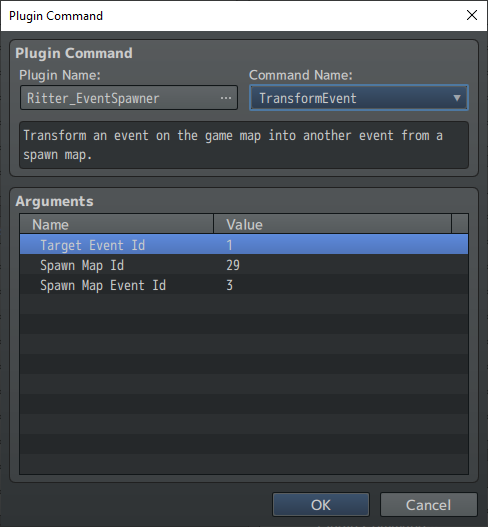
- eventId: ID of the event on the map to transform.
- mapId: Spawn map ID containing the template event.
- spawnId: ID of the template event on the spawn map.
Unspawn Event
Show/Hide Section
Unspawns an event on the game map using it’s eventId and sets the unspawned Game_Event object to be recycled for future spawns.
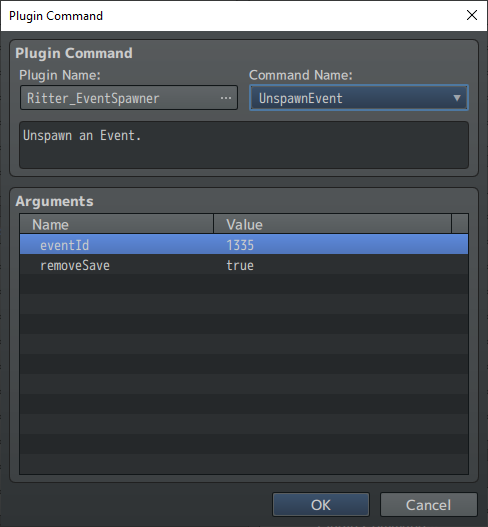
- eventId: ID of the event to unspawn.
- removeSave:
trueto remove from saved events,falseor empty to retain.
Unspawn Event XY
Show/Hide Section
Unspawns an event on the game map using x,y coordinates and prepares the unspawned Game_Event object to be recycled for future spawns.
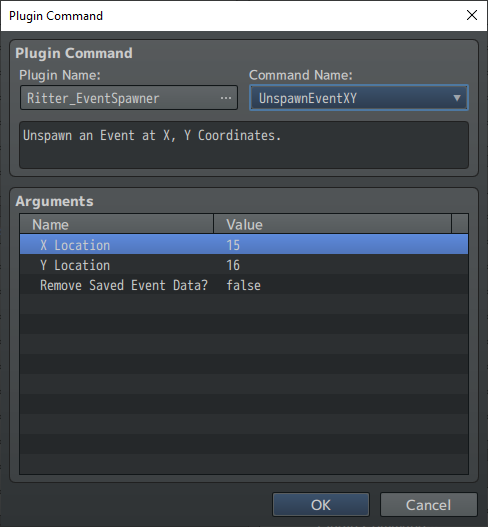
- x, y: Coordinates to check for the event.
- removeSave:
trueto remove from saved events,falseor empty to retain.
Unspawn All
Show/Hide Section
Unspawns all events on the game map and prepares the unspawned Game_Event objects to be recycled for future spawns.
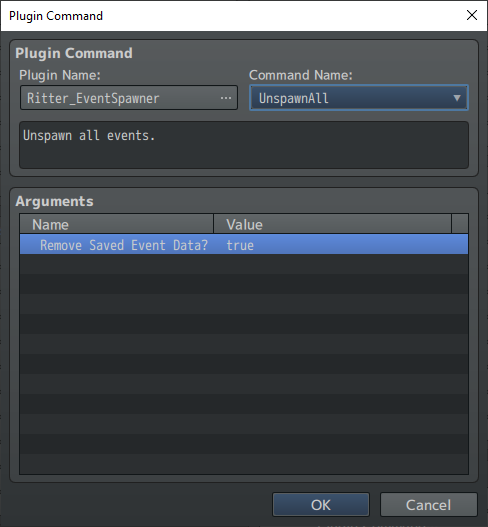
- removeSave:
trueto delete all saved events, leave empty to retain.