Boundary System Introduction
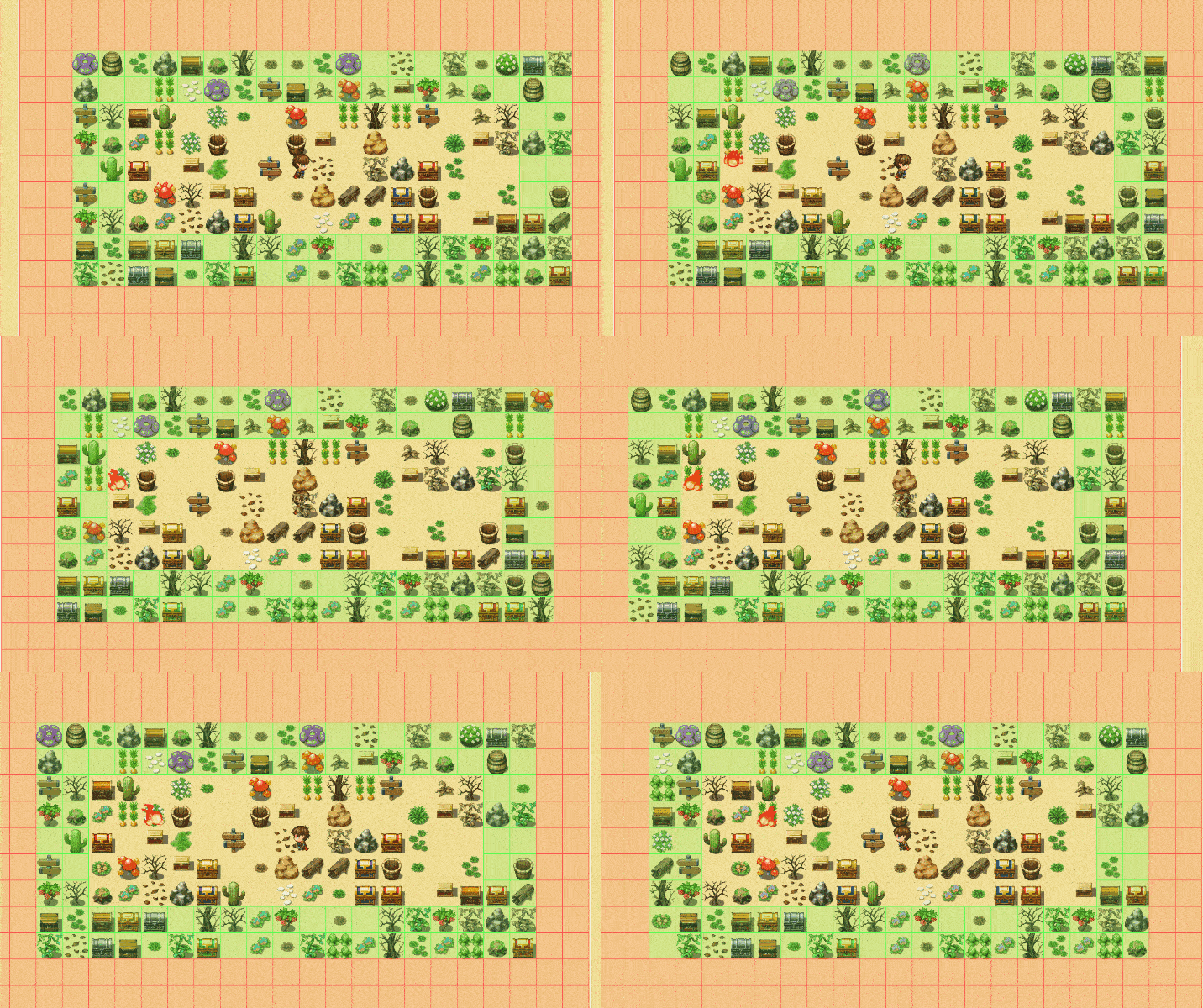
Boundaries visualized using the Ritter_BoundaryVisualizer.js Developer Extension Plugin.
- Green: A
FillOnboundary with a thickness of 2. - Red: An
UnspawnOnboundary with a thickness of 2.
Boundaries can move with the player, follow other events, or remain at fixed locations. They can also extend beyond the visible screen.
Overview
The Ritter Boundary System works alongside the Ultimate Event Spawner to automatically spawn and unspawn events based on their location within your game world.
Boundaries can follow:
- The player, moving as the player explores.
- Any event, following that event’s position.
- A fixed map location, remaining at coordinates you choose.
Each boundary has a name you assign, allowing you to reference, move, resize, or modify it through script calls and plugin commands.
You can create multiple boundaries with different sizes and behaviors to control when and where events appear.
For example, you could create a boundary around the player that spawns nearby NPCs and creatures, paired with a larger boundary that removes those events as the player moves away.
The result is a world that feels populated and active without requiring every event to remain loaded at once.
What Is a Boundary?
A boundary is an area of your map that the Boundary System uses to determine where events should spawn or unspawn.
Boundaries can operate along their edges or across their interior.
They can also move automatically when attached to the player or another event.
For example, imagine a boundary surrounding the player:
- As the player moves, the boundary moves with them.
- New areas enter the boundary, allowing events to spawn.
- Areas left behind can be handled by an unspawn boundary.
- Saved events can be restored when the player returns.
This allows you to build dynamic event populations that respond to exploration.
Boundary Size and Thickness
Boundaries have configurable dimensions:
- Width: Determines how wide the boundary is.
- Height: Determines how tall the boundary is.
- Thickness: Extends the boundary outward, allowing its edge or evaluated area to cover additional tiles.
Thickness expands outward from the boundary’s base dimensions rather than reducing its interior.
Different boundary types use these dimensions in different ways.
Understanding the Six Boundary Types
The Boundary System provides six boundary types. Each determines where events are evaluated and whether events are spawned or unspawned.
| Boundary Type | Behavior |
|---|---|
SpawnOn | Attempts to spawn one event at a random eligible edge tile. |
SpawnIn | Attempts to spawn one event at a random eligible interior tile. |
FillOn | Attempts to spawn events across eligible edge tiles. |
FillIn | Attempts to spawn events across eligible interior tiles. |
UnspawnOn | Unspawns boundary events along the edge. |
UnspawnIn | Unspawns boundary events within the interior. |
The names make more sense when broken down:
- On: Operates along the boundary’s edge.
- In: Operates within the boundary’s interior.
- Spawn: Attempts to create an event at one selected location.
- Fill: Attempts to populate every eligible tile in the evaluated area.
- Unspawn: Removes active boundary events from the evaluated area.
Choosing a Boundary Type
Imagine you’re building a forest with creatures that appear as the player explores.
You could use SpawnOn to introduce creatures around the edge of the player’s surroundings, or SpawnIn to place them randomly throughout the nearby area.
If you wanted to populate many tiles at once, FillOn or FillIn would be more appropriate.
To remove creatures that have moved too far away, you could use a larger UnspawnOn boundary surrounding the player.
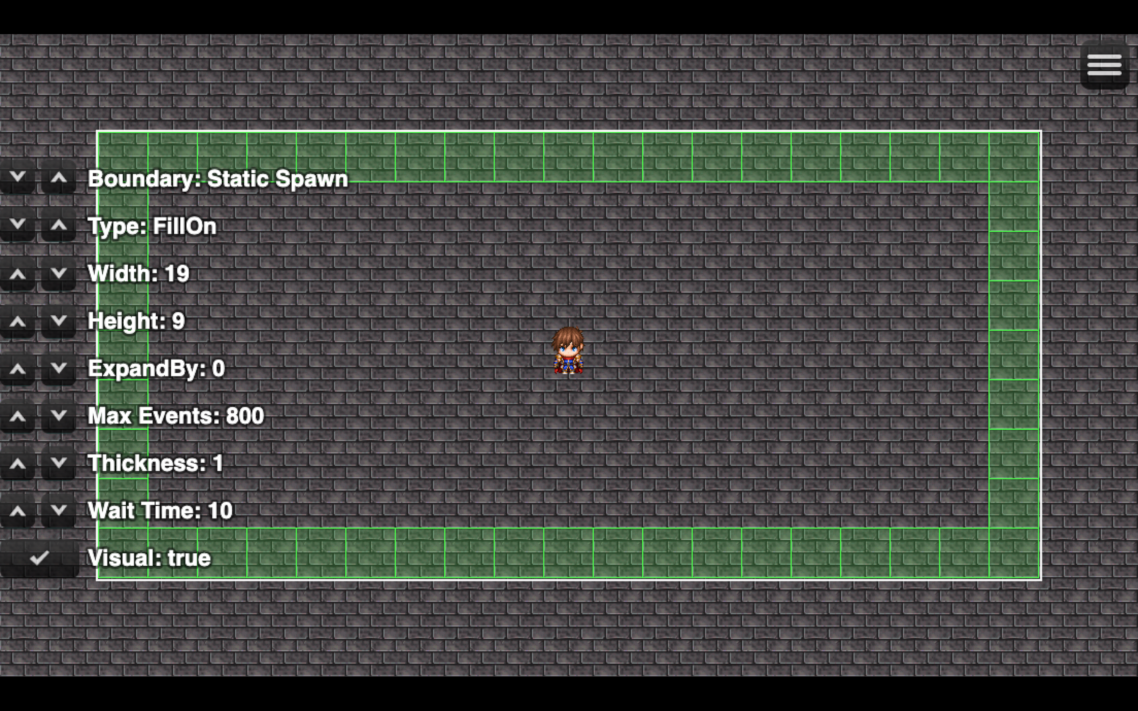
FillOn evaluates tiles along the boundary’s edge.
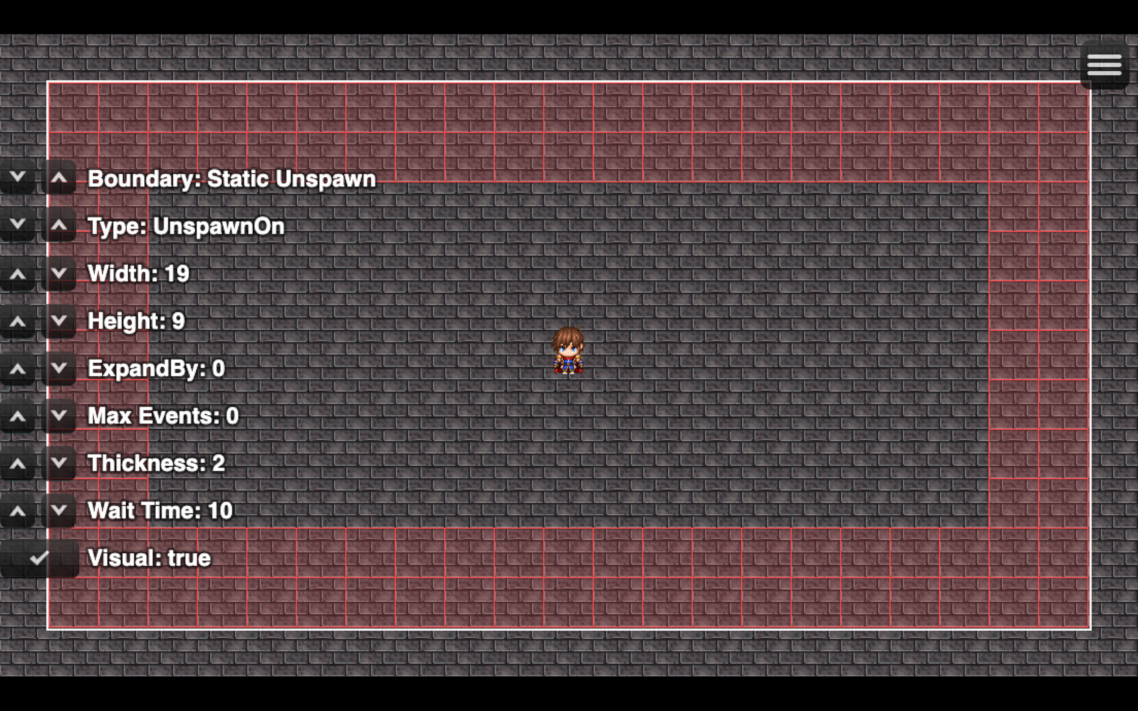
UnspawnOn removes active boundary events found along its edge.
You can also use UnspawnIn when you want to clear events throughout an entire boundary area.
These types can be combined to create different spawning and cleanup behaviors.
For detailed explanations and visual examples of all six types, see Boundary Types.
How Unspawn Boundaries Target Events
Each unspawn boundary can be assigned to one or more spawn boundaries.
When an unspawn boundary evaluates an event, it checks whether that event belongs to one of its assigned spawn boundaries.
- Matching ownership: The event is eligible to be unspawned.
- No matching ownership: The event is left alone.
For example, an unspawn boundary assigned to "Forest Spawn" will remove eligible events created by "Forest Spawn", but it won’t affect events belonging to "Village Spawn".
You can also assign both spawn boundaries to the same unspawn boundary, allowing it to manage events from multiple populations.
This lets you control which events are removed without affecting unrelated spawned events in the same area.
What Can You Build with Boundaries?
Boundaries can work with many different types of RPG Maker events.
Some possibilities include:
- Dynamic enemy encounters: Spawn enemies around the player as they explore.
- Persistent NPC populations: Load NPCs when nearby and restore their saved state when returning.
- Wildlife and creatures: Populate forests, fields, and other environments dynamically.
- Gathering resources: Spawn plants, minerals, and other collectible objects.
- Environmental details: Add debris, obstacles, decorations, and interactive objects.
- Large explorable worlds: Manage event populations across areas without keeping every event active simultaneously.
You can also preload persistent events into the Boundary Saved Events Database, allowing your world to contain saved entities that are restored as needed.
Automatic Event Recycling and Population Limits
The Boundary System works with the Event Spawner’s automatic event recycling.
When events are unspawned, their available runtime resources can be reused for future spawns.
You can also configure limits on how many events a boundary spawns automatically.
For example, a spawn boundary with a maximum population of 40 events can be paired with an outer unspawn boundary.
As the player explores:
- The spawn boundary creates events until its configured limit is reached.
- The unspawn boundary removes events that move outside the desired active area.
- Freed event slots become available for recycling.
- The spawn boundary can continue populating new areas as capacity becomes available.
This helps maintain an active population around the player without endlessly increasing the number of live events.
Saved boundary events can also be restored independently of ordinary automatic spawning limits.
For more information, see the Event Recycling Guide.
Creating a Living World
One of the most powerful uses of the Boundary System is event streaming.
Instead of keeping every NPC, creature, or object active across an entire world, you can load events when they’re needed and unspawn them when they’re no longer nearby.
A common setup uses two boundaries that follow the player:
- Spawn Boundary: A smaller boundary that spawns or restores nearby events.
- Unspawn Boundary: A larger boundary that removes events once they’re sufficiently far away.
Because the unspawn boundary extends farther than the spawn boundary, events can remain active as the player moves around without immediately disappearing when they leave the spawn area.
When saved boundary events are unspawned, their persistent data can be retained and restored when the player returns.
Large-Scale Demonstration
The v2.1 demonstration features a world containing:
- 60,801 persistent boundary events
- Approximately 650 simultaneously active events in the tested configuration
The remaining events are stored until they’re needed again.
This demonstrates how the Boundary System can manage large persistent populations without requiring every event to be active simultaneously.
Actual performance depends on your project’s event logic, graphics, other plugins, and hardware.
Getting Started
Ready to create your first boundary?
Start with the Boundary Plugin Commands or Boundary Script Calls to learn how to create, position, and configure boundaries.
You can also explore:
- Boundary Types for detailed behavior descriptions and visual examples.
- Preloaded Boundary Events to learn how to populate your world with persistent events.
A Simple Tool with Massive Impact
The Ritter Boundary System gives you the tools to build larger, more dynamic RPG Maker worlds through:
- Automatic event spawning and unspawning
- Player-following, event-following, and fixed-position boundaries
- Six flexible boundary behaviors
- Configurable event population limits
- Automatic event recycling
- Persistent event populations
- Event streaming for large worlds
Build a world full of life without keeping the entire world running at once.